
For most organizers, a seeded snake draw with automated verification is the fastest way to pick teams for a pool contest fairly. You divide teams into strength-based pots, then distribute them across pools in a snake pattern (1→2→3→3→2→1), so no single pool ends up stacked with top seeds. It takes about 20 minutes to set up and produces results participants can actually verify.
If that's more structure than your event needs, here are three faster alternatives:
- Random draw: Best for casual groups where competitive balance isn't a priority. Pull team names from a hat or use a digital randomizer. Done in five minutes.
- Captain/draft: Ideal when team captains know the field well. Each captain picks teams in a set order. Works best for 8–20 teams with engaged participants.
- Auto-assign tools: The right call for 16+ teams or multi-division events. A platform handles seeding, constraints, and pool balance automatically.
Table of Contents
- What methods work best for pool contest team selection?
- How do you execute each assignment method step by step?
- How many pools should you have, and how big?
- How do you keep pools fair and prevent disputes?
- Which tools and templates actually save organizers time?
- Day-of checklist and templates for commissioners
- Key Takeaways
- Draftwins makes running your pool straightforward
- FAQ
What methods work best for pool contest team selection?
Choosing the right assignment method comes down to three things: how many teams you have, how competitive the event is, and how much data you have on past performance.
Seeded snake draw
You rank all teams by historical performance or verified self-reporting, split them into pots (usually 3–4 tiers), then snake-distribute one team per pot into each pool. The result: every pool gets one strong team, one mid-tier team, and one or two unknowns. This is the standard for competitive draws because it balances fairness with explainability.
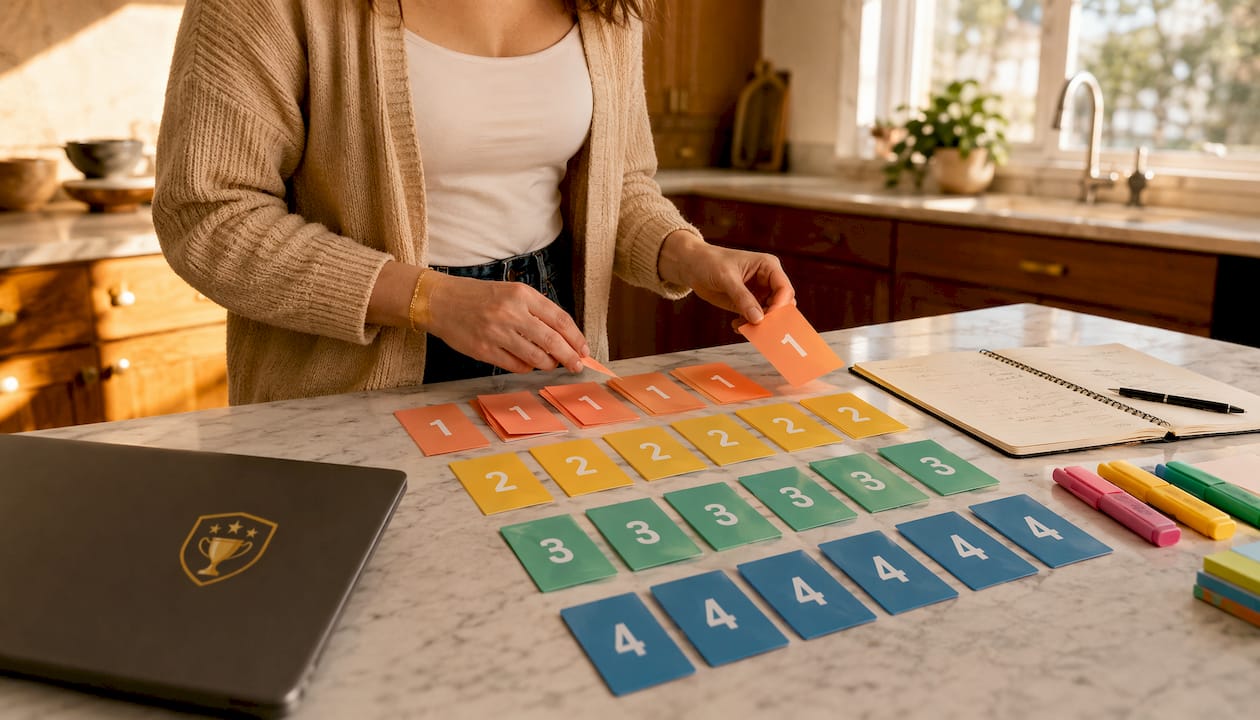
Best for: 8–32 teams, competitive or semi-competitive events, any event where participants will scrutinize the draw.
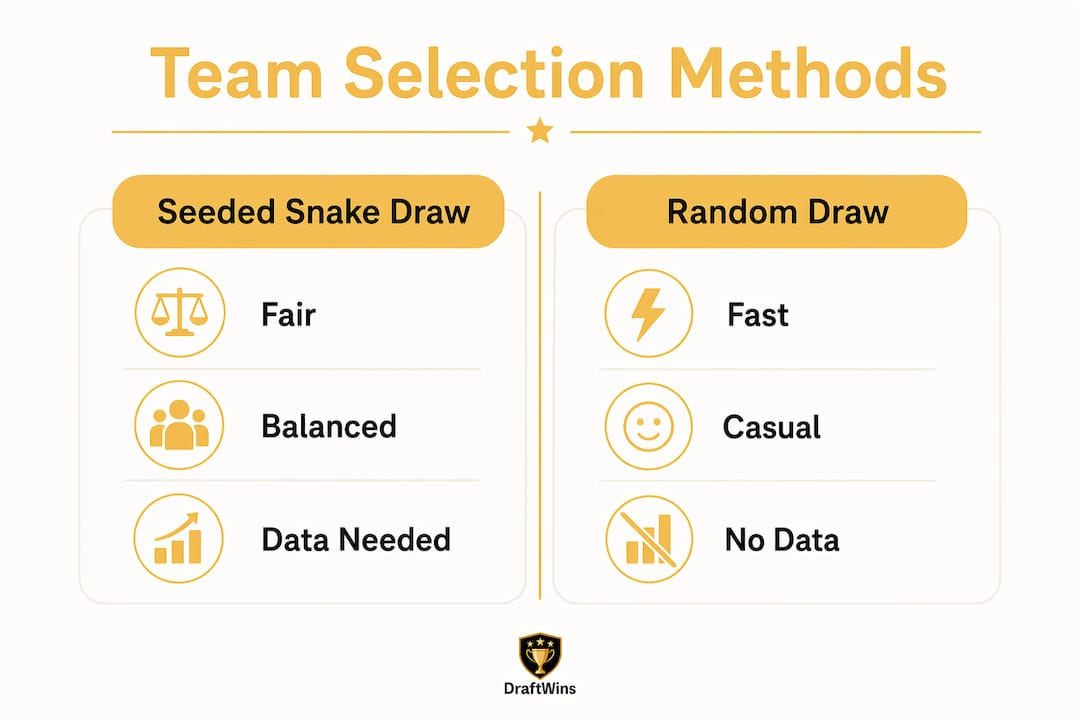
Pros: Transparent, defensible, produces balanced pools. Cons: Requires reliable seeding data; unverified self-reporting can risk misclassification of team strength.
Random draw
Fully random assignment with no seeding. Run it live with a randomizer tool or sealed envelopes. Fast and unimpeachable in terms of process, but you can end up with wildly uneven pools.
Best for: Casual groups, social tournaments, events where fun matters more than competitive parity.
Captain/draft
Team captains take turns selecting which teams go into their pool or bracket group. Think of it as a mini fantasy draft for pool assignment. It rewards knowledge of the field and creates buy-in.
Best for: 8–20 teams, events where captains are engaged and knowledgeable. Works well for office pools and casual contests where participants enjoy the selection process itself.
Auto-assign tools
A platform ingests your team list, seeding data, and constraints (e.g., keep same-club teams apart), then distributes teams algorithmically. Algorithmic assignment can outperform manual pot draws under certain constraints, producing nearly equal group scores.

Best for: 16+ teams, multi-division events, commissioners who want to eliminate manual errors.
Quick comparison
| Method | Fairness | Setup time | Transparency | Needs historical data | Best event size |
|---|---|---|---|---|---|
| Seeded snake draw | High | 20–30 min | High | Yes | 8–32 teams |
| Random draw | Medium | 5 min | High | No | Any |
| Captain/draft | Medium-High | 30–45 min | Medium | Optional | 8–20 teams |
| Auto-assign | High | 10 min | High | Recommended | 16+ teams |
For a deeper look at how these formats differ structurally, the team pool format guide on the Draftwins blog breaks down each one.
How do you execute each assignment method step by step?
Seeded snake draw
- Collect seeding data. Gather win-loss records, point differentials, or coach ratings from the previous season. If data is thin, use a verified self-report form with a disclaimer that false reporting results in re-seeding.
- Create pots. Divide teams into tiers. For 16 teams across 4 pools, you need 4 pots of 4. Pot 1 contains the top seeds, followed by subsequent pots in descending order according to seed strength.
- Run the snake. Assign one team from each pot to each pool in snake order: Pool A gets Pot 1 first, Pool B second, Pool C third, Pool D fourth. Then reverse for Pot 2: Pool D gets first pick, Pool C second, and so on.
- Apply constraints. After the initial draw, check for same-club conflicts and swap teams within the same pot tier to resolve them. Document every swap.
- Verify and publish. Calculate each pool's total seed score. Pools should be within one seed point of each other. Publish the draw log alongside the final assignments.
Sample snake order (16 teams, 4 pools): Pot 1: A→B→C→D | Pot 2: D→C→B→A | Pot 3: A→B→C→D | Pot 4: D→C→B→A
Checklist: ☐ Seeding data collected ☐ Pots created ☐ Snake run ☐ Constraints checked ☐ Seed scores verified ☐ Draw log published
Pro Tip: When seeding data is limited, use a three-tier pot system instead of four. Fewer tiers means less sensitivity to imprecise rankings, and the snake still distributes strength evenly.
Random draw
- Load all team names into a digital randomizer (Google's random number generator, random.org, or a spreadsheet shuffle function).
- Assign teams to pools sequentially as they appear in the randomized list: first N teams go to Pool A, next N to Pool B, and so on.
- Run the draw live on a shared screen or record it. Publish the timestamp and seed used.
- Check for same-club conflicts post-draw. If two teams from the same organization land in the same pool, swap one with the nearest team in the next pool.
Captain/draft and snake draft
- Pre-draft setup. Confirm captain availability 48 hours before the draft. Assign draft order by random draw or reverse prior-season finish.
- Set a pick timer. Two minutes per pick keeps things moving. Appoint a timekeeper.
- Run the draft. The commissioner reads out available teams; the captain on the clock announces their pick. For a snake draft, reverse the order each round.
- Fallback rule. If a captain misses their pick window twice, the commissioner auto-assigns the highest remaining seed to that captain's pool.
For strategic guidance on making the most of each pick, the draft pick strategy guide is worth reviewing before the draft.
Pro Tip: Send captains the full team list with basic stats 24 hours before the draft. Informed captains make faster picks, and the draft runs in half the time.
Auto-assign tools
- Input your team list and seed scores into the platform.
- Set constraints: same-club separation, geographic grouping, or division restrictions.
- Run the auto-assign function. Review the output for constraint violations before publishing.
- Export the draw sheet and post it to your group channel immediately.
Pro Tip: After auto-assign runs, manually verify that no pool's total seed score deviates by more than one seed point from the average. Most platforms flag this automatically, but a 30-second manual check catches edge cases.
How many pools should you have, and how big?
Pool size is the single most consequential scheduling decision you'll make. Too few pools and you have lopsided brackets. Too many and teams play only two games before elimination.
Four-team pools are optimal for many tournaments as each team can play multiple games and standings remain manageable across a range of total team counts. For events with more time and fields, five-team pools give each team four games and suit full-day formats.
Pool play into a bracket is the recommended structure for 12+ teams because it guarantees multiple games per team while keeping the bracket manageable.
Sample configurations
| Total teams | Pool setup | Pool games per team | Total pool games | Playoff format |
|---|---|---|---|---|
| 8 | 2 pools of 4 | 3 | 12 | 4-team bracket |
| 12 | 3 pools of 4 | 3 | — | 8-team bracket |
| 16 | 4 pools of 4 | 3 | 24 | 8-team bracket |
| 20 | 4 pools of 5 | 4 | 20 | 8-team bracket |
| 32 | 8 pools of 4 | 3 | 48 | 16-team bracket |
For a 5-team round-robin where every team plays each other once, there are 10 total games. That's a full-day commitment on a single field.
One-day vs. two-day planning
One-day event (16 teams, 4 pools of 4): Budget 45 minutes per game slot including a 10-minute transition buffer. With two fields running simultaneously, 24 pool games take roughly 6 hours. Add 90 minutes for bracket play. Start at 8:00 AM and you're done by 4:30 PM.
Two-day event: Run all pool play on Day 1, bracket on Day 2. This allows for weather delays and reduces scheduling pressure significantly.
Quick scheduling tips:
- Build a 15-minute buffer between the last pool game and bracket seeding announcement.
- Reserve one field as a buffer for weather or overtime games.
- For overlapping age brackets or divisions, stagger start times by 30 minutes to avoid registration bottlenecks.
How do you keep pools fair and prevent disputes?
Fairness complaints almost always trace back to one of three problems: opaque seeding, no published tiebreakers, or same-organization teams landing in the same pool. All three are preventable.
Seeding approaches
Historical-performance seeding is the most defensible. Use the previous season's final standings or a points-per-game average. The downside: new teams have no history, so you'll need a default placement (usually mid-tier).
Verified self-reporting works when historical data doesn't exist. Ask coaches to submit their record and a contact reference. Cross-check at least 20% of submissions. Sandbagging, where teams intentionally underreport to get a lower seed, is the main risk.
Pot allocation is the practical middle ground. Group teams into broad tiers (strong, mid, unknown) based on available information, then draw within tiers. Pot-based draws with sequential distribution are the standard recommendation for minimizing bias.
Constraint rules
- Separate teams from the same club or organization into different pools whenever possible.
- If geographic constraints apply (e.g., teams traveling long distances shouldn't play each other in pool play), flag those pairs before the draw.
- Document every constraint and publish it before registration closes.
Tiebreaker order
Publish this before a single entry fee is collected. A recommended sequence:
- Head-to-head result
- Goal/point differential (capped per game to prevent runups)
- Total goals/points scored
- Fewest disciplinary points
- Coin flip (commissioner-witnessed, recorded)
Standings logic and tiebreaker mechanics are covered in detail in the football pools standings guide if you want a deeper reference.
Pro Tip: Publish a worked tiebreaker example in your pre-event email. Show participants exactly how a three-way tie would resolve using real numbers. This single step eliminates the majority of post-draw protests.
Transparency is the strongest defense against disputes. Publishing seeding criteria, draw mechanics, and tiebreakers before registration closes prevents ad-hoc rule changes and the arguments that follow them.
Which tools and templates actually save organizers time?
Organizers consistently underestimate how much administrative time pool management takes once the event starts. Automation materially reduces manual scoring errors and the disputes that follow them, especially beyond a handful of teams.
Tools worth using
- Auto-assign/draw engines: Eliminate manual pot draws and constraint checking. Essential for 16+ teams.
- Schedule generators: Input your pool structure and field count; the tool outputs a complete time-slot grid. Saves 2–3 hours of manual scheduling.
- Live leaderboards: Participants check standings themselves instead of texting the commissioner. The benefits of live leaderboards go beyond convenience — they reduce disputes by making scores visible in real time.
- Automated scoring systems: Remove the manual entry step entirely. A full breakdown of how these work is in the automated scoring guide.
Templates to prepare
| Template | Purpose | Publish or internal? |
|---|---|---|
| Draw sheet | Team, pool, seed, constraints | Publish |
| Schedule grid | Time slots, fields, matchups | Publish |
| Email announcement | Pool assignments + start times | Publish |
| Scoreboard template | Running totals per pool | Publish (live) |
| Commissioner log | Swap records, constraint notes | Internal |
Automation isn't just a convenience for large events. Once you're managing more than 8 teams, manual scoring and draw tracking introduce errors that are hard to catch in real time. Live leaderboards and automated draws shift the commissioner's job from data entry to dispute resolution — which is where your attention actually belongs.
Draftwins for commissioners
Draftwins handles automated team drafts, live leaderboards, customizable scoring rules, and private pool hosting in one place. Commissioners pay a one-time hosting fee to create a pool; participants join for free. There's no spreadsheet to maintain, no manual score entry, and no chasing people for results. For World Cup, NFL, and College Football pools, it's the platform built specifically for this workflow. The Draftwins pools page covers the full feature set.
Day-of checklist and templates for commissioners
Tournament directors serve as neutral arbiters — not participants. Your job on event day is logistics, disputes, and schedule integrity.
Day-of numbered checklist
- 7:00 AM — Setup: Confirm field assignments, post printed pool draw sheets at each field entrance, and verify scorekeeping supplies.
- 7:30 AM — Registration: Check in teams against your roster, collect any outstanding waivers, and confirm no-shows.
- 8:00 AM — Draw/pool announcement: If the draw wasn't pre-published, announce pool assignments now. Post digitally and physically.
- 8:30 AM — First games: Start on time. A delayed first game cascades through the entire schedule.
- Midday check-in: Verify scores are recorded correctly after each round. Address any disputes before the next round starts.
- Bracket seeding: Announce playoff seedings 15 minutes before the first bracket game. Post updated standings.
- Finals and awards: Confirm field availability, run the final, and close out the event.
Sample templates
Draw sheet fields: Team name | Pool | Seed | Club/Organization | Contact
Schedule grid layout: Time slot | Field | Home team | Away team | Score | Referee
Pool assignment email (2–3 sentences): "Hi [Team Name], you've been assigned to Pool [X] for [Event Name] on [Date]. Your first game is at [Time] on Field [Number] against [Opponent]. Full pool assignments and the complete schedule are attached."
Handling last-minute changes
Withdrawals and late additions happen. Here's the minimum viable response:
- Withdrawal before the draw: Remove the team, re-run the draw or shift the next seed into their slot.
- Withdrawal after the draw: If a pool drops to two teams, merge it with the smallest adjacent pool or award byes. Announce the change immediately.
- Late addition: Add to the pool with the fewest teams. If all pools are equal, assign to the pool with the lowest total seed score.
- Standby list: Keep 1–2 registered alternates on a standby list for events with 16+ teams. Confirm their availability 48 hours before the event.
If you're collecting any fees, use neutral payment labels on Venmo or Zelle. Some platforms flag gambling-related transfer labels and may freeze accounts, so "event registration" or "tournament fee" is safer than anything that sounds like a wager.
Running the whole operation without a spreadsheet is genuinely possible. The no-spreadsheet pool guide walks through exactly how.
Key Takeaways
A seeded snake draw with published tiebreakers and automated scoring is the most reliable way to pick teams for a pool contest fairly and run the event without disputes.
| Point | Details |
|---|---|
| Choose your method early | Match the method to event size: random draw for casual groups, seeded snake for competitive events, auto-assign for 16+ teams. |
| Four-team pools are optimal | Each team plays 3 games, standings are clear, and the format scales cleanly to 8, 12, 16, or 20-team events. |
| Publish tiebreakers before registration | Post the full tiebreaker sequence and a worked example before collecting any entries to prevent disputes. |
| Build schedule buffers | Allow 10-minute transitions between games and reserve one field for delays; a delayed first game cascades all day. |
| Use Draftwins for automation | Draftwins handles automated team drafts, live leaderboards, and private pool hosting so commissioners focus on the event, not data entry. |
Draftwins makes running your pool straightforward
Running a pool contest well means less time managing spreadsheets and more time watching the games. Draftwins gives commissioners exactly that: a private pool platform where you set the rules, the automated draft handles team assignments, and live leaderboards keep every participant updated without a single manual score entry.
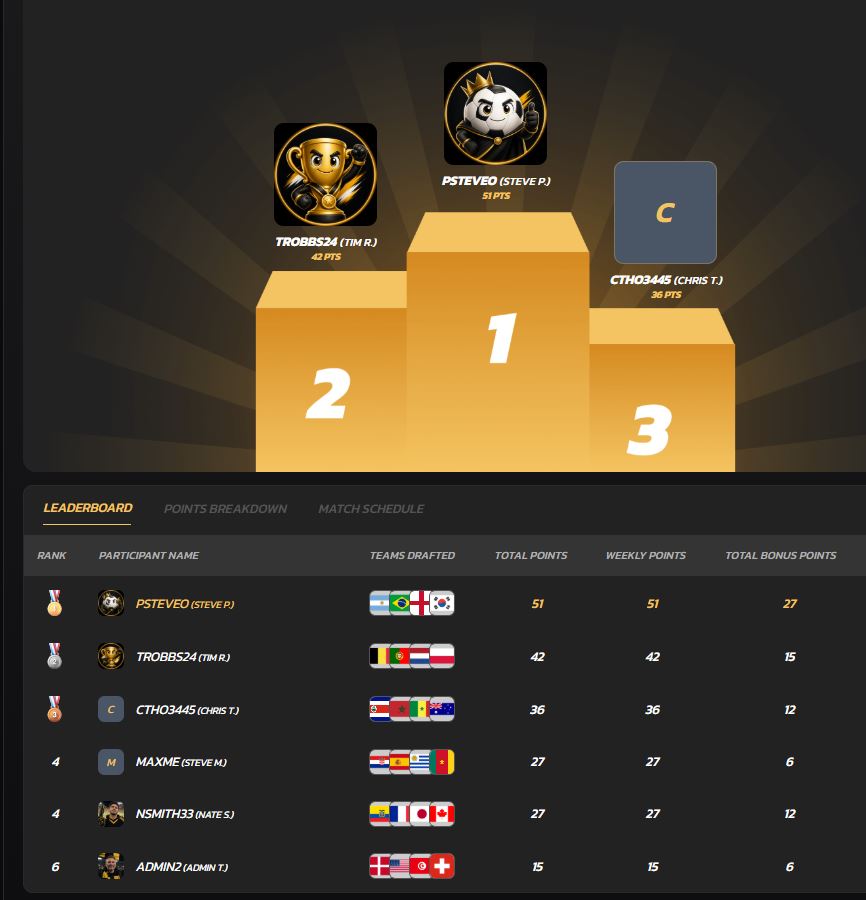
The platform charges a one-time hosting fee per pool. Participants join for free. There's no ongoing subscription, no prize-pool management, and no payment processing to worry about. Draftwins currently supports World Cup pools, with NFL and College Football pools launching next, so the timing is right if you're planning ahead for the season.
If you've been running your pool on a shared spreadsheet or a group chat, this is a direct upgrade. Set up your pool on Draftwins and have it ready to share in under 10 minutes.
FAQ
How do you set up a pool competition?
Decide on your pool format (typically round-robin pools into a bracket), assign teams using a seeded snake draw or random draw, publish the tiebreaker rules before registration closes, and build a schedule with 10-minute transition buffers between games.
What is the best app for pool tournaments?
Draftwins handles automated team drafts, live leaderboards, customizable scoring, and private pool hosting in one place, making it a strong choice for commissioners running World Cup, NFL, or College Football pools.
How do you schedule a tournament with 5 teams?
A 5-team round-robin produces 10 total games, with each team playing 4 games. Schedule two games simultaneously if you have two fields, and budget a full day for completion.
What tiebreaker rules should you publish for pool play?
The standard sequence is head-to-head result, then goal/point differential, then total goals/points scored, then fewest disciplinary points, then a commissioner-witnessed coin flip.
How do you handle a team withdrawal after pool assignments are made?
If a pool drops to two teams, merge it with the smallest adjacent pool or assign byes. For events with 16+ teams, keep 1–2 registered alternates on a standby list confirmed 48 hours before the event.