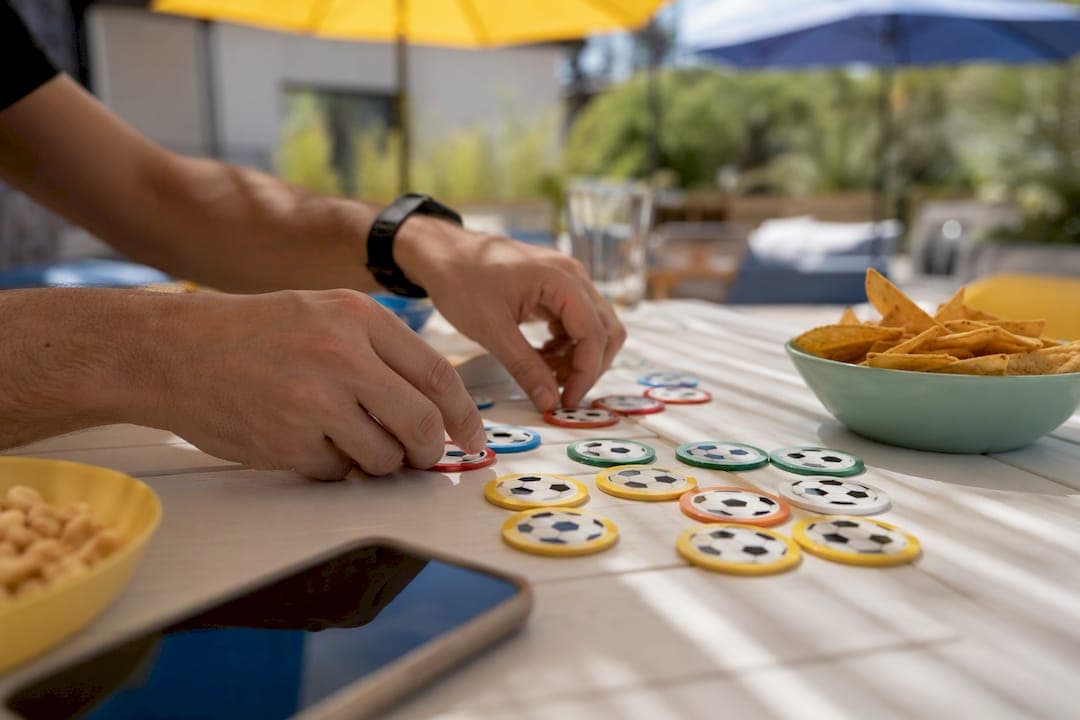
For private World Cup team-draft pools, the fastest way to run a fair, low-admin contest is a dedicated draft platform. DraftWins handles the drafting, scoring, and leaderboards automatically, which means less spreadsheet babysitting for you and more actual watching for everyone else. This guide covers private online team-draft pools specifically, not in-person party games.
TL;DR:
- Using a dedicated draft platform like DraftWins simplifies running a private World Cup pool, automating drafting, scoring, and leaderboards.
- Decide the privacy, roster size, draft order, pick time limits, and team trade rules before building the pool to ensure smooth operation.
- Split prizes into multiple stages for ongoing engagement, with staged payouts for group stages, knockout rounds, and the ultimate winner.
- Keep participants engaged through automated standings, weekly recaps, side challenges, and visible leaderboards that encourage friendly competition.
- A team-draft format with clear rules and automation is ideal, while remaining aware that platforms like DraftWins only handle hosting fees, not participant payouts.
Table of Contents
- What Should You Decide Before Setting Up World Cup Watch Party Games?
- How Do You Set Up a Private Draft Pool Step by Step?
- How Do You Keep Players Engaged for a Month?
- What Mistakes Do Most Commissioners Make?
- What Watch Party Games Work Alongside a Draft Pool?
- How Do You Fold DraftWins Into These Extra Games?
- How Do You Handle the Tech for Virtual or Hybrid Watch Parties?
- How Do You Build Friendly Competition Into the Group?
- What Prizes Actually Boost Engagement?
- How DraftWins Fits the Pool You're Already Planning
- Sources
- FAQ
What Should You Decide Before Setting Up World Cup Watch Party Games?
A team-draft format works best for mixed-skill groups because nobody has to know a single player's name to compete. You draft entire national teams, so the person who watches every match and the person who only shows up for the final are on equal footing. That's the core appeal over player-based fantasy: no injury reports, no lineup swaps, just teams and outcomes.
Before you build anything, lock in these decisions:
- Privacy setting. Private pools with an invite link keep the group closed to friends, coworkers, or family.
- Roster size. Decide how many teams each drafter gets, based on your group size and the 48-team field.
- Draft order. Snake order rewards patience; random order is faster to set up and feels more neutral.
- Pick time limits. A 60 to 90 second clock per pick keeps a live draft from dragging into a second hour.
- Team assignment rules. Decide whether trades are allowed after the draft or whether rosters lock immediately.
Scoring needs the same upfront clarity. Assign point values for group-stage wins and draws, then set separate (usually higher) values for knockout-round wins, since those matches carry more weight. Build in tiebreaker rules now, whether that's total goals scored or head-to-head results, so nobody argues about it in the semifinal.
Finally, settle the money question and the communication plan together. If there's an entry fee, document the payout split and when winners get paid. Then map out three touchpoints: the pre-draft invite, a draft-day reminder, and a weekly standings update once group play starts.
Pro Tip: Send the payout menu and scoring rules in the same message as the draft invite. Commissioners who wait until after the draft to explain payouts get the most questions and the most pushback.
How Do You Set Up a Private Draft Pool Step by Step?
Once you've made the decisions above, the build itself takes less time than most commissioners expect. Modern pool platforms let hosts create a contest in under 10 minutes instead of building a scoring spreadsheet from scratch.
Setting up the pool:
- Name the pool and set it to private so only people with your invite link can join.
- Import participants by email or share a single link in your group chat, whichever matches how your group actually communicates.
- Choose a scoring system and confirm the point gap between group-stage and knockout-round wins before you save it.
- Set the draft to snake or random order and lock in a per-pick time limit.
Running the live draft:
- Pick a date before the tournament's official draw if you're drafting blind, or after it if you want participants choosing known groups.
- Turn on auto-pick for no-shows so one missing person doesn't stall the entire draft.
- Keep the draft window open in a shared screen or link so everyone watches picks happen in real time.
Once the draft wraps, document the rules publicly. Post a simple, shared document listing the scoring table, the payout menu if there's an entry fee, and a one-line dispute-resolution rule (commissioner decides, or the group votes on anything genuinely ambiguous). Fixing the format and publishing it in advance cuts down on the weekly "wait, how does scoring work again?" messages.
Before kickoff, run one test. Enter a sample result, either a real preseason friendly or a made-up scoreline, and check that the leaderboard updates the way your rules say it should. A five-minute test now saves you from explaining a scoring bug to twelve annoyed coworkers during the tournament's opening week.
How Do You Keep Players Engaged for a Month?
A World Cup group stage alone runs about two weeks before knockout rounds even start, and that's plenty of time for casual participants to check out if nothing reminds them the pool exists. Automated standings and scheduled notifications solve most of this on their own, since a leaderboard that updates itself after every match keeps the pool visible without you lifting a finger.
Splitting the prize into stages does more work than people expect. Instead of one lump payout at the final, carve out smaller rewards for the group stage leader, the round of 16, and the semifinals. Breaking prizes into staged payouts keeps eliminated players' friends invested even after their own team gets knocked out, because there's still a reason to check standings.
A few tactics that consistently work:
- Run a small side challenge, like an "upset pick" bonus for correctly calling a lower seed beating a favorite, layered on top of the main scoring.
- Post the live leaderboard in the group chat after every match day instead of making people log in to check.
- Send a weekly recap with the top three standings and one line of trash talk material.
Pro Tip: Keep recap messages under three sentences. "Group stage update: Maria leads with Brazil and Portugal still alive, Dave's in last with two teams already out" gets read. A wall of text gets skipped.
Over-communication, not under-communication, is what keeps a month-long pool alive.
What Mistakes Do Most Commissioners Make?
Most pool problems trace back to five repeatable mistakes, and every one of them has a fast fix.
- Overcomplicated scoring. Bonus points for clean sheets, extra multipliers for derby matches, style points for goal margins. Simplify to a core system (win, draw, knockout bonus) and offer complexity as an optional side bet instead.
- Vague payout expectations. If people don't know the split or the payout date, they'll assume the worst. Publish an explicit payout menu and a payout timeline before the draft, not after.
- Inconsistent updates. A commissioner who posts once at the start and once at the end loses the room. Schedule reminders and weekly recaps instead of relying on memory.
- Draft no-shows. Someone always misses the live draft. Set an auto-pick rule in advance and tell people it exists so nobody's surprised by their roster.
- Scoring disputes. Arguments happen when there's no single source of truth. A shared, locked rules document with one clear dispute-resolution step (commissioner decides for small groups, quick vote for larger ones) ends most arguments before they start.
None of these fixes require new tools. They require deciding the rule once, writing it down, and sticking to it.
What Watch Party Games Work Alongside a Draft Pool?
A team-draft pool is the main event, but the four to six weeks of a World Cup leave room for smaller games that run in parallel without competing for attention. These work well layered on top of your existing pool rather than replacing it.
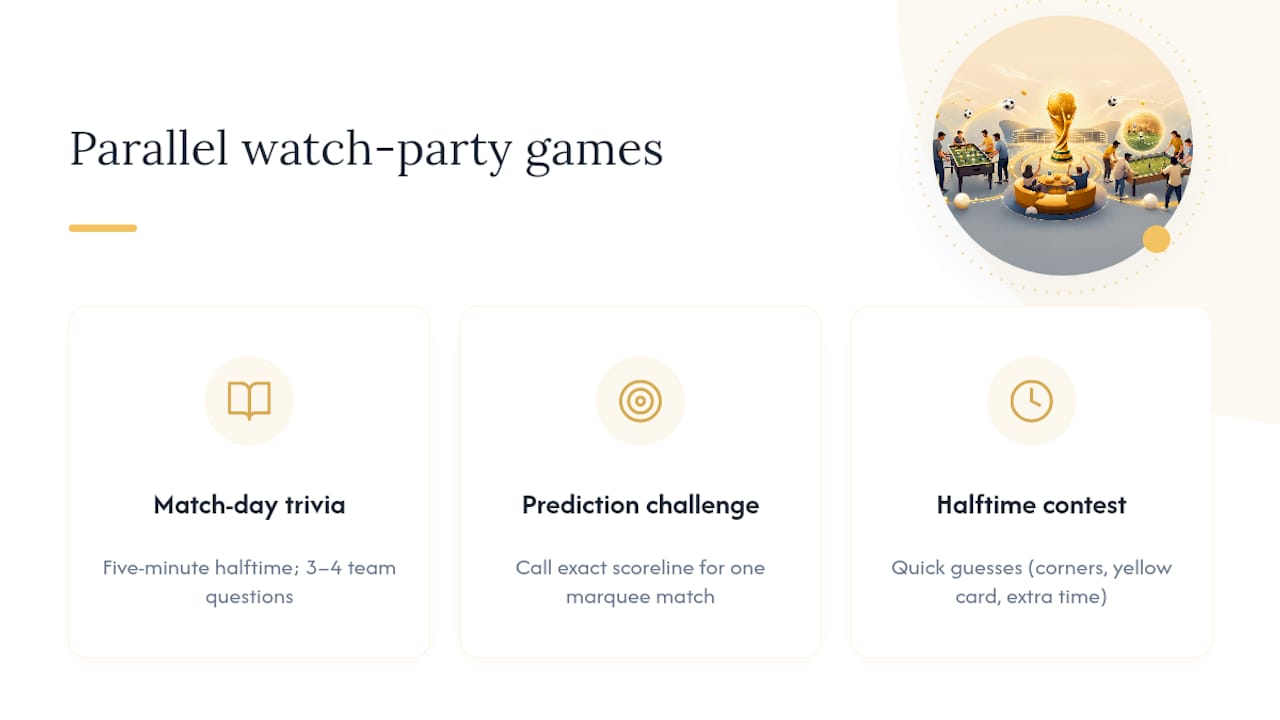
Match-day trivia takes five minutes at halftime and costs nothing to run. Pull three or four questions about the two teams playing (last meeting's result, top scorer, tournament history) and let people shout answers in the group chat.
Prediction challenges are the easiest add-on because they map directly onto your existing scoring mentality. Ask participants to call the exact scoreline for one marquee match each round, and award a small bonus, separate from the main pool, to whoever gets closest.
Halftime contests work best as quick, low-stakes guessing games: total corner kicks, first team to get a yellow card, whether extra time happens. These need zero setup beyond someone typing the question into the chat.
The common thread is that all three ideas ride on top of the structure you already built for the draft pool. You've got a group chat, a shared audience, and a scoring mindset already in place. Adding a five-minute trivia round or a scoreline guess doesn't require new software. It just requires someone (usually you) tossing out a question before kickoff.
How Do You Fold DraftWins Into These Extra Games?
The draft pool stays the anchor. The side games work better when they don't fight the main leaderboard for attention, and the cleanest way to manage that is to keep them visually and structurally separate.
Post trivia questions and prediction challenges in the same group chat you're already using for pool updates, but label them clearly so people don't confuse a trivia answer with a scoring dispute. If your weekly recap message already includes the top three standings, add a single line underneath for the side-game winner. That keeps one communication channel instead of three, which matters when you're already sending draft reminders and weekly recaps.
Timing helps too. Send the trivia question or prediction challenge an hour or two before kickoff, separate from your standings update, so the two don't blur together. People read a short pre-match message differently than a post-match recap.
If you're running an upset-pick bonus (mentioned earlier as a main-pool add-on), keep that inside the platform's scoring rather than tracking it by hand in a side spreadsheet. Anything you can fold into the automated scoring system stays accurate without extra work from you. Anything that lives outside it, like trivia or halftime guesses, should stay lightweight and manual on purpose. The goal isn't to automate everything. It's to keep the parts that matter for money and standings automated, and let the just-for-fun extras stay casual.
How Do You Handle the Tech for Virtual or Hybrid Watch Parties?
Most of these pools run across people who aren't in the same room, which means the setup needs to work whether someone's watching from a couch, a bar, or their office break room during a lunchtime match.
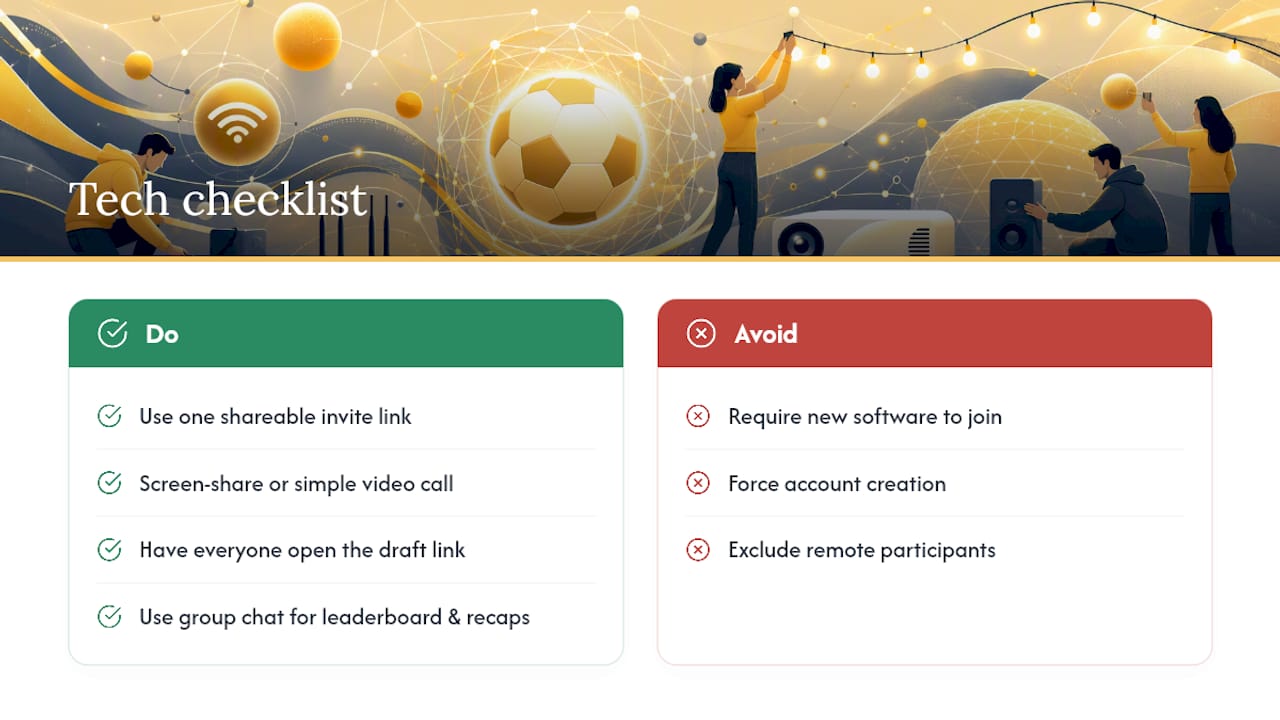
Start with the invite link itself. A private pool with a single shareable link means participants don't need an app download or an account they'll forget the password to; they click, join, and draft. That matters more than it sounds for a group that includes a coworker who barely uses group chats.
For the live draft, screen sharing or a simple video call works fine for most friend groups. You don't need dedicated software. What matters more is making sure the draft board itself is visible to everyone at once, whether that's through a shared screen or by having each person pull up the draft link on their own device while talking over a call.
For match days, a group chat (Group chat) handles most of the coordination: posting the leaderboard, sending the weekly recap, dropping a trivia question before kickoff. If your group is hybrid, meaning some people watch together in person while others tune in remotely, the group chat becomes the bridge between the two. The in-person group can post reactions and photos; remote participants stay looped in through the same thread.
The technical bar here is low on purpose. If your setup requires participants to learn new software just to check their standings, you've made the pool harder to stick with, not easier.
How Do You Build Friendly Competition Into the Group?
Competition sustains itself when people can see where they stand and have an easy way to needle each other about it. A leaderboard that only the commissioner can see does neither.
Post standings somewhere everyone already looks. That's usually the same group chat used for logistics, not a separate app or spreadsheet link people have to remember to check. A public leaderboard does more for engagement than any single message you could write, because it turns the pool into an ongoing conversation instead of a one-time setup task.
Give people small reasons to talk trash. A weekly "bottom of the table" callout works as well as a "current leader" shoutout, sometimes better, since last place tends to generate more chat activity than first. Naming teams by drafter (not just team names) also helps; "Dave's teams" is more fun to root against than "Group C's remaining sides."
Side bets between two specific people, separate from the main pool money, tend to generate their own energy. If two coworkers want to bet a coffee run on whose team advances further, that's a side conversation that keeps both of them checking the leaderboard daily. You don't need to formalize it. Just don't discourage it.
The biggest lever is visibility, not gimmicks. A leaderboard that updates automatically and gets posted consistently will generate more friendly competition on its own than a hand-built ranking system that only surfaces occasionally.
What Prizes Actually Boost Engagement?
The size of the prize matters less than how it's structured. A single large payout at the very end gives people who get eliminated early no reason to keep checking in, and that's the exact drop-off you're trying to avoid across four to six weeks of tournament play.
Staged prizes solve this directly. Instead of one payout after the final, split the pot across milestones: a small reward for the group-stage leader, another for whoever's ahead after the round of 16, and the largest share for the overall winner. This keeps more of the field engaged through elimination rounds rather than checking out once their own drafted teams are gone.
Non-cash incentives work well for office or family pools where money feels awkward. Bragging rights trophies (literal or a recurring meme in the group chat), a "loser buys the next round" rule, or a rotating trophy that carries over to the next tournament all create the same pull without anyone exchanging cash.
Whatever you choose, publish the full prize structure before the draft, not partway through the tournament. Commissioners who wait to announce payout details create exactly the kind of uncertainty that leads to complaints in week three.
How DraftWins Fits the Pool You're Already Planning
Everything in this guide points toward one setup: private pool, team draft, clear scoring, visible standings. DraftWins is built around exactly that sequence. You get private pools with shareable invite links, a live team draft with snake or random order and auto-pick for no-shows, and scoring you customize for group-stage and knockout rounds before anyone picks a team.
Once the draft ends, DraftWins syncs match results to a live leaderboard automatically, so you're not updating a spreadsheet every time a match ends. That's the same automation this guide keeps pointing back to: less manual tracking, more time actually watching matches.
One operational note worth being upfront about with your group: DraftWins charges a one-time hosting fee to create and run the pool. It does not collect entry fees, hold a prize pool, or handle payouts between participants. If your group is playing for money, you'll still coordinate that part directly, the same way you'd document it in the payout menu covered earlier. Being clear about that split up front avoids the exact confusion this guide warns against.
The practical next step is simple. Create your private pool, run a test draft with one or two friends to check the scoring rules, and confirm the leaderboard updates the way you expect before sending real invites. Head to the DraftWins pools page to set one up before the tournament's draw locks in your options.
Sources
FAQ
What Is the Best Format for a Private World Cup Pool?
A team-draft pool, where participants draft entire national teams instead of individual players, works best for mixed-skill groups because it removes lineup management and injury tracking entirely.
How Many Teams Should Each Person Draft?
That depends on your group size and the 48-team field, but most commissioners assign enough teams per drafter that everyone has multiple chances to advance, while keeping the draft short enough to run in one sitting.
How Do I Handle Payouts Fairly?
Publish an explicit payout menu, including the split percentages and payment timeline, before the draft happens, and consider staging payouts across tournament milestones rather than one lump sum at the end.
Does DraftWins Collect Entry Fees or Handle Payouts?
No. DraftWins charges a one-time platform hosting fee to create and run the pool, but entry fees and payouts between participants are handled directly by the group, not through the platform.
What's the Easiest Way to Keep a Group Engaged for a Month?
Automated leaderboard updates paired with a consistent weekly recap message do more for engagement than any single prize or feature, since visibility is what keeps a pool part of the ongoing conversation.