
The fastest way to run a family sports pool is a private team-draft pool with automated scoring and live leaderboards. One person acts as commissioner, creates the pool, sets scoring rules, and shares an invite link. Setup takes 10 to 30 minutes, and the only cost is a one-time hosting fee the commissioner pays, since participants join free.
TL;DR:
- A family sports pool using a private team-draft format can be set up in 10 to 30 minutes with minimal costs, mainly a one-time hosting fee.
- Choosing a simple, automatic scoring system and a manageable group size of 6 to 12 participants ensures an easy and fun experience for family members.
- Privacy controls like password-protected links and clear communication about draft rules prevent disputes and maintain game integrity.
- Automatic scoring and a straightforward leaderboard display keep the competition transparent and reduce family arguments about results.
- Establishing rules on trades, scoring tweaks, and dispute resolution before the draft helps prevent conflicts during the season.
Table of Contents
- Family Sports Pool Setup: The 6-Step Checklist
- How Do You Set Up a Team-Draft Pool Step by Step?
- Weekly Scoring, Season Scoring, or Best-Ball: Which Works for Families?
- Which Pool Format Fits Your Group Size?
- Do You Need to Worry About Privacy and Fees?
- How Do You Run a Smooth Draft Night?
- What Happens When Someone Wants to Trade Teams?
- Can You Customize Scoring Rules for Your Family?
- How Do You Handle Disputes During the Season?
- Ready to Run Your Own Team-Draft Pool?
- Useful Links for Setting Up Your Pool
- Sources
- FAQ
Family Sports Pool Setup: The 6-Step Checklist
Before you touch a keyboard, walk through these steps in order. Skipping ahead (especially on privacy and scoring) is where most commissioners run into trouble on draft night.
- Pick the event and format. Team-draft, best-ball, or weekly winners each work differently for a family sports pool setup.
- Create the private pool. Set roster size and draft size based on how many relatives or friends you expect.
- Lock down privacy. Choose a private link, a password, or both, and decide who gets the invite.
- Set the draft date and scoring rules. Nail down tiebreakers now, not after someone's team loses by half a point.
- Send invites with pre-draft notes. Include the draft time, timezone, and any watch-list advice.
- Run a test and collect the hosting fee. A quick dry run catches settings mistakes before real picks are on the line.
How Do You Set Up a Team-Draft Pool Step by Step?
Once you've settled on a format, the actual build takes less time than most people expect. Here's the sequence a commissioner follows from account creation to a working leaderboard.
- Create your account and start a new pool. Choose your event (World Cup, NFL, or college football) and select the team-draft format so nobody has to manage weekly lineups.
- Name the pool and set access. Decide between a private link anyone with the URL can join or a password-protected pool for tighter control, which matters if you're sending the invite through a group text where it might get forwarded.
- Set roster size and draft size. A family pool of 8 to 12 people usually works best with a full snake draft, where the pick order reverses each round so the person picking last in round one picks first in round two, keeping things fair for whoever drew the worst slot.
- Schedule the draft and set pick timers. Most hobby drafts use timers between 30 seconds and an hour per pick, and you'll want to decide what happens when someone doesn't pick in time.
- Configure scoring. Decide whether you want weekly scoring, cumulative season scoring, or a best-ball structure, and set your tiebreakers now while everyone's still friendly.
- Invite participants. Send the generated link or email invites, then confirm who's actually planning to show up live versus who needs an auto-pick safety net.
- Run a test draft. Verify that automated scoring is populating correctly and that the leaderboard updates the way you expect before the real draft night arrives.
Pro Tip: Set your auto-pick source or watch list explicitly before draft night. Commissioners who skip this step often find that an absent player's auto-pick defaults to something nobody wanted, which turns into an awkward conversation at Thanksgiving.
Draft mechanics matter more than people assume going in. A snake draft protects against the same person always picking last, and once you understand that structure, the rest of the setup is mostly clicking through menus.
Weekly Scoring, Season Scoring, or Best-Ball: Which Works for Families?
Three scoring structures dominate team-draft pools, and picking the right one depends on how competitive your group actually is versus how competitive they think they are.
Weekly scoring resets each week, so a bad week doesn't sink your whole season, and it keeps casual players engaged even after a rough start. Cumulative season scoring adds points across the entire schedule, rewarding consistency but occasionally leaving stragglers checked out by week six. Best-ball weekly winners format awards the highest-scoring team each week without requiring anyone to set a lineup, which is where the team-draft advantage really shows up for families who don't want a group chat full of "did you set your lineup" reminders.
For most family groups, simpler is better:
- Fewer scoring categories mean fewer disputes about what counted and what didn't.
- Automatic tiebreakers (total points, then a designated tiebreaker stat) settle arguments before they start.
- A simplified scoring setup makes leaderboards easier to read for relatives who don't follow the sport closely.
Automated scoring pulls stats from official game data and updates leaderboards on its own, though corrections to box scores sometimes lag by a few minutes to a few hours depending on the sport and event. When you present the leaderboard, keep the display simple: team name, total points, and current rank are all most family members need. Save the advanced stat breakdowns for whoever actually cares enough to ask.
Which Pool Format Fits Your Group Size?
Team-draft formats exist specifically to solve a problem player-based fantasy creates: nobody wants to manage a lineup every single week during a family pool that's supposed to be fun, not a part-time job. Once a manager drafts a team, that roster is set, and the commissioner isn't fielding texts about bye weeks or injury replacements all season.
Group size shapes which format makes sense:
- 6 to 10 people works well for a single team-draft pool with a straightforward snake draft.
- 10 to 20 people is the range where draft pools still feel social and manageable without splitting into subgroups.
- 20-plus people usually calls for either multiple pools or a multi-entry format so everyone gets a real shot at drafting a competitive team.
Draft order and pick timers affect fairness more than most first-time commissioners realize. A randomized snake draft order keeps things equitable, and a pick timer between one and five minutes per pick keeps a 12-person draft from stretching past everyone's patience. Longer timers work for asynchronous drafts spread across a weekend; shorter ones work for a live video call where everyone's watching the picks land in real time.
Do You Need to Worry About Privacy and Fees?
Access control comes down to three options: a private link only you share, a password layered on top of that link, or a fully invite-only setup where you add each participant directly. For a family group, a password-protected private pool is usually the right balance between convenience and keeping strangers out.
On the money side, Draftwins charges a one-time hosting fee to the commissioner when the pool is created. Draftwins does not collect entry fees, hold a prize pool, accept wagers, or pay out winnings. If your family wants to add a friendly stake, handle that entirely offline.
- Set ground rules for any side stakes before the draft, not after someone wins.
- Keep the pool language casual and social rather than framed as gambling.
- Remember this only works among consenting adults who agree to the terms upfront.
How Do You Run a Smooth Draft Night?
A good draft night starts with a clear message sent 24 to 48 hours ahead, not a scramble an hour before pick one.
- Send a pre-draft message with the date, time, timezone, pick timer length, auto-pick rule, and the pool link or password.
- Ask everyone to test their connection ahead of time, especially anyone joining from a phone on unreliable Wi-Fi.
- Encourage a watch list so distracted drafters still get reasonable auto-picks if they step away.
- Handle no-shows calmly. Auto-pick exists for exactly this, and a quick roster correction after the draft fixes any obvious mismatches.
- Run the post-draft checklist: verify every roster looks right, switch on scoring, and share the live leaderboard link with the group.
Pro Tip: Post the leaderboard link in the same group chat you used for the invite. People check it more often when they don't have to go hunting for it.
What Happens When Someone Wants to Trade Teams?
Team-draft pools are built to avoid weekly lineup churn, but trades still come up, usually when someone drafted a team they immediately regret or when a sibling swap seems like a fun twist mid-season. As commissioner, decide your trade policy before the draft, not when the first trade request lands in your inbox.
The simplest approach for a family sports pool setup is to either lock rosters entirely after the draft or allow a single commissioner-approved trade window early in the season. Locking rosters removes any argument about fairness later, since everyone drafted under the same rules. If you do allow trades, set a clear deadline, such as before the first game of the second week, and require both parties to confirm in writing (a group text screenshot works fine) so there's no dispute later about who agreed to what.
Roster corrections are different from trades and should always be allowed. If someone's auto-pick grabbed a duplicate player by mistake, or a scoring glitch assigned the wrong team, fix it immediately rather than letting it ride out of fairness to the rest of the group. Keep a simple log, even just a note in your phone, of any change you make and why. That way, if someone asks in week seven why their cousin's roster looks different from draft night, you've got the answer ready instead of trying to remember a conversation from a month ago.
Can You Customize Scoring Rules for Your Family?
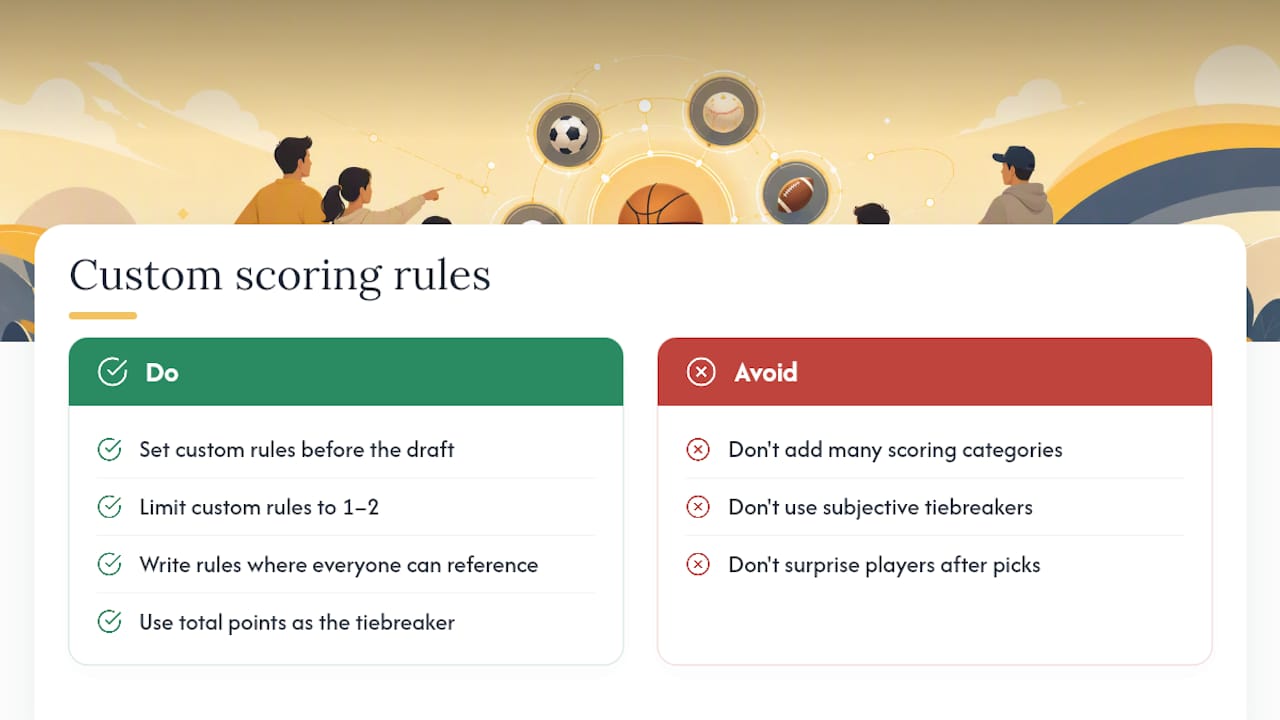
Default scoring settings work fine for most groups, but families often want small tweaks that reflect inside jokes, favorite teams, or just what keeps the competition close. Adjusting point values for specific outcomes, changing how ties get broken, or weighting certain games higher than others are all reasonable customizations, as long as you set them before the draft and explain them clearly to everyone joining.
The key rule for a family sports pool setup: simpler rules produce fewer disputes. Every extra scoring category is one more thing someone can misread or argue about at the dinner table. If you want to reward underdog picks or add a small bonus for a Cinderella team making a deep run, pick one or two custom rules rather than five, and write them down somewhere everyone can reference mid-season.
Tiebreakers deserve their own decision, separate from scoring categories. Total points scored across the season is the easiest tiebreaker to explain and the hardest to argue with, since it's just math. Avoid tiebreakers based on subjective calls, like "most exciting team," because that invites exactly the kind of family debate you're trying to prevent by running an automated pool in the first place.
Once you've settled on your custom rules, share them in the same pre-draft message where you send the invite link. Nobody should discover a scoring quirk for the first time after they've already made their picks.
How Do You Handle Disputes During the Season?
Even a well-run family sports pool setup produces the occasional disagreement, usually over a scoring correction, a questionable auto-pick, or someone convinced the leaderboard is wrong. As commissioner, your job is to be the final word, calmly and quickly, before a small gripe turns into a family group chat spiral.
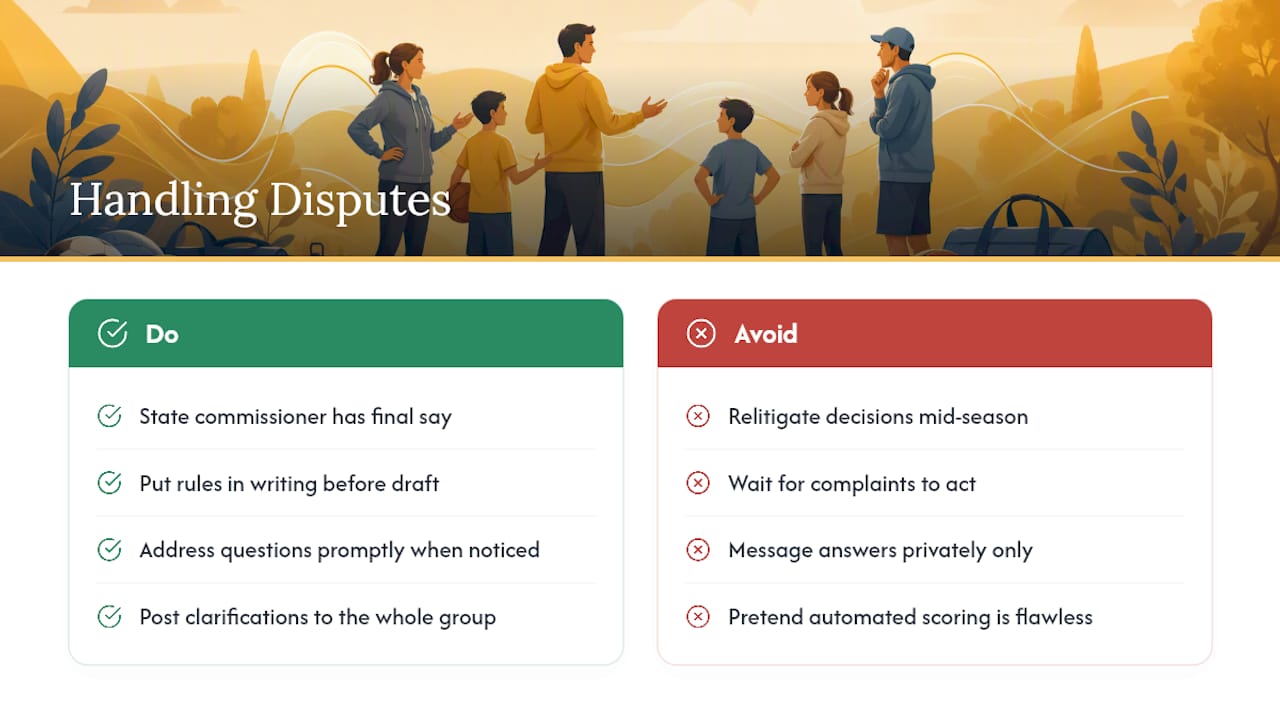
Set expectations before the draft even happens. State plainly that the commissioner has final say on any rule interpretation and that decisions won't be relitigated mid-season. This single sentence, said out loud or written in the invite, prevents most disputes from ever escalating, because everyone agreed to it going in.
When a real question comes up, like whether a scoring correction should apply retroactively, address it as soon as you notice it rather than waiting for someone to complain. Automated scoring occasionally lags on box score corrections, and being upfront about that (rather than pretending the system is flawless) builds trust with your group. If a dispute involves a trade disagreement or a roster question, refer back to the rules you sent before the draft. Having those rules in writing, even in a casual group text, turns a "he said, she said" argument into a quick reference check.
Keep any rule clarifications visible to the whole group, not just the person who asked. Posting the answer in the shared chat instead of a private message means nobody else raises the same question three weeks later.
Ready to Run Your Own Team-Draft Pool?
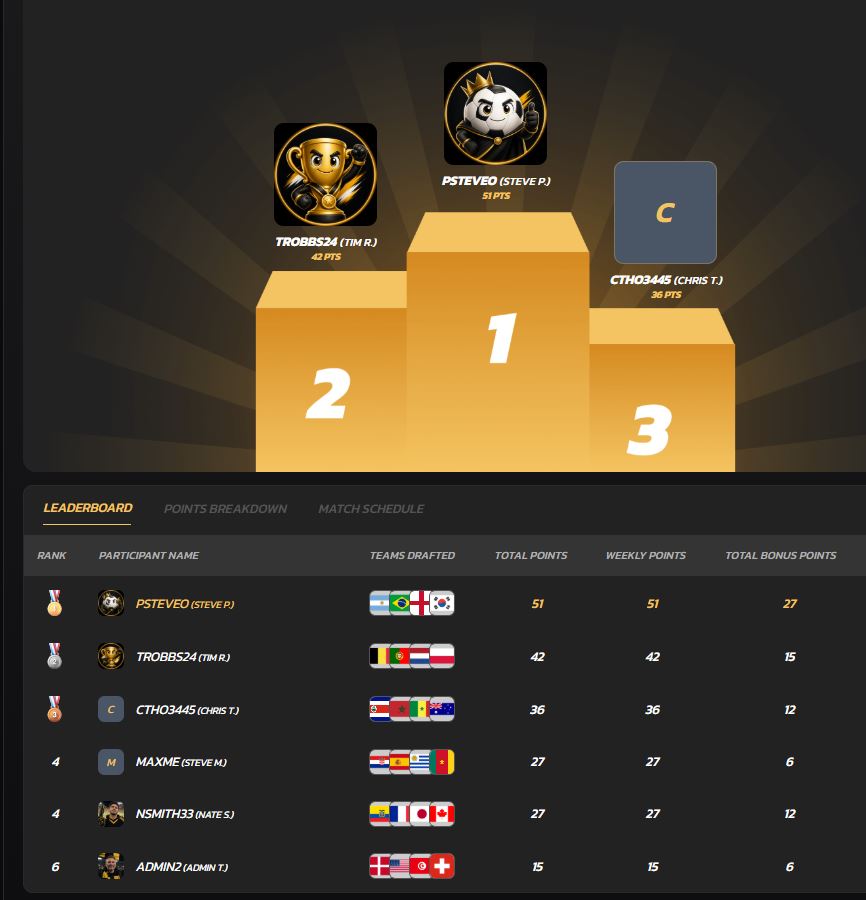
Everything covered above (the checklist, the scoring options, the privacy settings) maps directly onto how Draftwins is built. You get a team-draft format that eliminates weekly lineup management, private pools with password protection, customizable scoring, automated results, and live leaderboards your whole family can check without asking you for updates.
The fee structure stays simple too: Draftwins charges a one-time hosting fee to whoever sets up the pool, and everyone else joins for free. No entry fees, no prize pool held by the platform, no payouts to manage yourself. That means you can focus on picking a fun scoring format instead of tracking who owes what.
If your family is planning around the World Cup, NFL season, or college football Saturdays, create your pool and have the invite link ready to send before your next family group chat conversation turns into "we should do a pool this year."
Useful Links for Setting Up Your Pool
For NFL-specific setup, check the NFL office pool page. If you want format examples for a friend group, the private team-draft pool guide covers sample rules and structures worth borrowing.
Sources
FAQ
How Long Does It Take to Set Up a Family Sports Pool?
Most commissioners finish setup in 10 to 30 minutes, including choosing the format, setting scoring, and sending invites through Draftwins.
Who Pays for a Family Team-Draft Pool?
The commissioner pays a one-time hosting fee to create the pool, and participants join for free with no entry fees collected.
What's the Difference Between Team-Draft and Player-Based Fantasy?
Team-draft assigns entire teams to each participant so nobody manages weekly lineups, while player-based fantasy requires ongoing roster decisions every week.
How Many People Should Join a Family Pool?
Groups of 6 to 10 work best for a single draft, while larger draft pools of 10 to 20 still stay manageable with a snake draft.
Can I Change Scoring Rules After the Draft Starts?
Avoid changing scoring rules mid-draft or mid-season; set your rules and tiebreakers before invites go out to prevent disputes later.