
Keeping a private sports pool private comes down to five moves: lock the pool behind an invite or password, require multi-factor authentication on admin accounts, collect only the participant data you actually need, publish a retention and deletion timeline, and vet any third-party tool with a Data Processing Agreement. Platforms like DraftWins build several of these controls in by default. A few states also impose their own retention and access rules worth checking before draft day.
TL;DR:
- Setting the pool to invite-only or password-protected significantly reduces the risk of public leaks and unauthorized access.
- Requiring MFA for all admin accounts and restricting participant permissions to view-only helps prevent credential theft and data breaches.
- Collect only participants' names and emails at sign-up, and request sensitive details like addresses or payment info only from winners after the season ends.
- Maintaining a documented data retention schedule of 30 to 90 days after the pool concludes minimizes unnecessary long-term data storage.
- Automatically controlling access, scoring, and data sharing through a specialized platform like DraftWins prevents common privacy leaks associated with manual spreadsheet and group chat management.
Table of Contents
- What's on a quick privacy checklist before draft day?
- Access control and authentication: accounts, roles, MFA, and audit logs
- Designing registration and consent: collect only what you need
- Third-party tools and processors: inventory, DPAs, and secure exports
- Retention and deletion: set a schedule and stick to it
- Incident response: immediate actions and post-incident steps
- How platform features support privacy: applying controls inside DraftWins
- Next steps: 5 actions you can finish in an hour
- Run your pool on a platform that builds privacy in
- Sources
- FAQ
What's on a quick privacy checklist before draft day?
Most privacy failures in group pools happen before the season even starts, usually because someone shares a signup link in a public group chat or exports a spreadsheet nobody remembers to delete. A short pre-draft checklist closes most of that gap fast.
- Lock the door first. Set the pool to invite-only or require a password, and restrict settings changes to the commissioner account.
- Turn on MFA and set roles. Require multi-factor authentication for anyone with admin access, and give participants view-only permissions by default.
- Ask for less. Collect name and email at signup; hold off on anything else until it's actually needed.
- Separate marketing from entry. Never bundle a newsletter signup into the entry form as a default-checked box.
- Paper the processors. Confirm a Data Processing Agreement exists with your email provider, host, and any payment tool before you send the first invite.
- Write down when data dies. Publish a retention and deletion schedule so entrant data doesn't sit around for years after the Super Bowl.
Handle these six before you open registration and you've already closed off the most common leak points.
Access control and authentication: accounts, roles, MFA, and audit logs
Commissioner accounts and participant accounts should never share the same permission level. A commissioner needs the power to change scoring rules, remove members, and export data; a participant needs to see standings and submit picks. Mixing those roles into one login type is how a compromised participant password turns into a full pool takeover.
Multi-factor authentication should be mandatory for every admin login, not optional. It's worth strongly recommending, if not requiring, for participants too, since credential-stuffing attacks against reused passwords are common across fantasy and betting platforms. Access control best practices center on the principle of least privilege: give each account only the permissions its job actually requires, nothing more.
Role-based access control (RBAC) enforces this automatically instead of relying on someone remembering to downgrade a permission later.
- Assign roles at setup, not after a problem appears.
- Automate onboarding and offboarding so a co-commissioner who steps away loses access immediately.
- Audit access logs at least quarterly to catch dormant admin accounts or unusual login patterns.
Pro Tip: Use short-lived invite links and single-use tokens instead of one permanent signup URL. A link that expires after 48 hours or after one use can't end up recirculating in an old email thread three seasons later.
Designing registration and consent: collect only what you need
The safest data is data you never collected. Most pools only need a name and an email address to run a full season; everything else is optional risk sitting in a database.
Shipping addresses, phone numbers, and payment details should be requested only from actual winners, after the season ends, not from every entrant on day one. This single change dramatically shrinks how much identifiable information you're holding at any given time, since fulfillment details for winner-only collection never touch the accounts of people who didn't place.
- Keep the entry form to name and email; nothing more unless the pool format requires it.
- Use a separate, unchecked box for marketing opt-in. Never pre-tick it or bundle it with entry.
- Add double opt-in confirmation for any marketing list, so consent is verifiable later.
- Link a short privacy notice directly on the entry form, stating how long you'll keep the data.
- Timestamp consent and note which version of the form a participant agreed to, in case you need to prove it later.
Under GDPR's promotion and giveaway guidance, separated consent and data minimization aren't nice extras. They're the baseline expectation for anyone collecting entrant data, even for a friends-and-family pool.
Third-party tools and processors: inventory, DPAs, and secure exports
Every tool touching participant data is a processor, and every processor is a potential leak point you don't fully control. Start with a simple inventory: your email provider, your hosting platform, any payment tool, and any analytics service. If a tool sees a name, email, or payment detail, it belongs on that list.
- Require a signed Data Processing Agreement with each processor before sending them real participant data.
- Avoid pulling broad CSV exports of your entrant list. If you must export one, encrypt the file and delete it on schedule.
- Confirm every integration runs over HTTPS, and check that API connections use authenticated, secure endpoints.
- Never park an exported entrant list in an open shared drive where anyone with the link can open it.
Layered security controls like encryption and secure payment handling matter just as much for a fifty-person office pool as they do for a licensed platform. The scale is smaller, but the exposure to each individual participant is identical.
Retention and deletion: set a schedule and stick to it
Data doesn't need to live forever just because deleting it feels like extra work. A practical retention window for entrant lists runs 30 to 90 days after the pool ends, unless a specific legal or audit requirement forces you to hold it longer. That range comes straight from GDPR-aligned promotion guidance, and it works just as well for a casual pool as it does for a formal sweepstakes.
- Set a hard deletion date the moment the pool closes, not "whenever I get around to it."
- Pseudonymize records you're required to keep for tax or audit reasons, stripping direct identifiers where the underlying number still needs to exist.
- Collect fulfillment details, like a mailing address for a prize, only from confirmed winners, and only after the season ends.
- Publish your retention period on the entry form itself, so participants know upfront what happens to their information.
Automate the deletion where your platform allows it. A manual "delete this later" task is the single most common reason old entrant data outlives its purpose by years.
Incident response: immediate actions and post-incident steps
A leaked spreadsheet or a compromised admin account isn't a reason to panic, but it is a reason to move fast and in order. Follow these four steps as soon as you suspect an exposure:
- Contain it. Lock down affected accounts, reset passwords, and preserve logs or screenshots before anything gets overwritten.
- Communicate. Notify affected participants promptly, and check whether your state or platform has a required notification timeline. New York, for example, holds licensed sports pool systems to strict data retention and reporting rules that include access controls and fraud detection obligations.
- Investigate. Figure out exactly what was exposed, which fields, how many people, and how the exposure happened.
- Prevent. Rotate credentials, patch whatever let it happen, and run a short audit afterward to confirm the fix held.
Skipping the communication step is the mistake that turns a small technical problem into a trust problem with your entire group.
How platform features support privacy: applying controls inside DraftWins
Most of the controls above become far easier to maintain when the platform handles them structurally instead of leaving a commissioner to police them manually. DraftWins builds several of these directly into pool setup: pools are private and password-protected by default, joining requires an invite, and only the commissioner account can change scoring rules or remove members.
Automated scoring and live leaderboards also cut down on a habit that quietly causes most data leaks in casual pools: circulating spreadsheets by email. When scoring updates automatically inside the platform, there's no entrant list bouncing between inboxes where it can get forwarded, misplaced, or left in a shared drive.
- Password-protected, invite-only pool creation at setup.
- Commissioner-only controls for scoring, membership, and rule changes.
- No spreadsheet exports needed to track standings.
- Setup guidance available through DraftWins' password-protected pool walkthrough.
| Control | What to check |
|---|---|
| Access | Pool set to invite-only or password-protected |
| Authentication | MFA enabled on the commissioner account |
| Data collected | Limited to name and email at entry |
| Retention | Deletion date set for 30 to 90 days post-season |
| Processors | DPA on file for email, hosting, and payment tools |
Run through that table once per season, and most of the exposure risk in a casual pool disappears before the first game kicks off.
Next steps: 5 actions you can finish in an hour
You don't need a compliance department to fix the biggest gaps. Do these five things right now:
- Switch your pool to invite-only, or set a password if it isn't already protected.
- Turn on MFA for every admin account and confirm no participant has admin-level access by mistake.
- Trim your signup form down to name and email, and add a link to a short privacy notice.
- Find any exported entrant lists sitting in email or shared drives, encrypt or delete them, and set a deletion date going forward.
- Review DraftWins' commissioner settings guide for the specific toggles worth locking before your next draft.
None of this takes more than an hour, and it closes off the exposure points that cause almost every pool privacy problem.
Run your pool on a platform that builds privacy in
If you're currently running a pool through a shared spreadsheet and a group text, you already know the privacy problem: entrant data ends up scattered across email threads, phone screenshots, and whatever cloud folder someone set up two seasons ago. DraftWins was built to replace that setup entirely. Instead of drafting individual players and tracking scores by hand, your group drafts whole teams, and the platform handles scoring, standings, and access automatically.
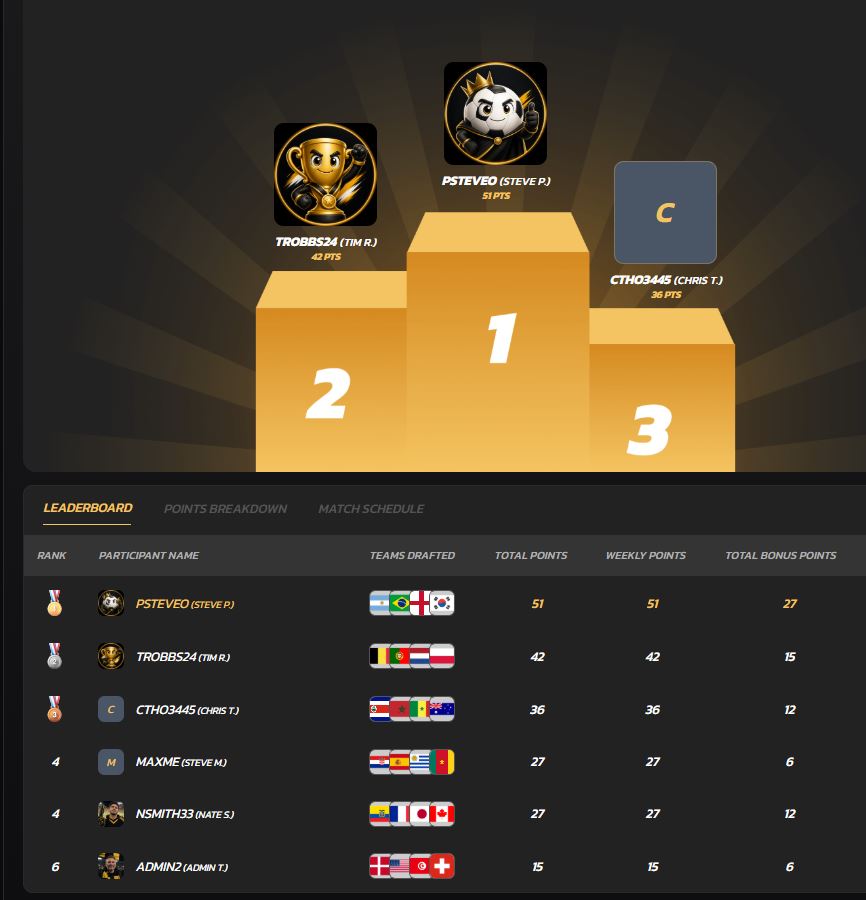
That structure matters for privacy specifically because it removes the reasons commissioners usually end up exporting or forwarding participant data in the first place. Pools are private by default, joining requires an invite, and commissioner controls stay separate from participant access. There's no entry fee collected and no prize pool held, so DraftWins isn't handling payment data at all, one less category of sensitive information to worry about securing.
If you're setting up a pool for this season, start by creating a private pool and configuring invite-only access before you send the first link to your group.
Sources
- 9 NYCRR 5329.10 - Risk management, controls, data retention, and reporting
- Practical Guide to Access Control for Sports Platforms
- Gambling Privacy: 6 Proven Data Protection Strategies
FAQ
What is the safest way to collect entrant data for a sports pool?
Ask only for name and email at signup, and request shipping or payment details from winners only, after the pool ends. That's the core winner-only collection principle behind most modern privacy guidance for contests and pools.
How long should a commissioner keep entrant data?
A practical benchmark is 30 to 90 days after the pool closes, unless a specific legal or audit reason requires longer retention, per GDPR-aligned promotion guidance.
Does MFA really matter for a casual office pool?
Yes. Credential reuse across sites is common, and requiring MFA on admin accounts specifically prevents a single leaked password from turning into full control over your pool's settings and member data.
Are there legal rules that apply to private sports pools?
Some states regulate sports pool systems directly. New York, for instance, requires certain systems to retain wagering transactional data for up to 10 years with defined access controls, so it's worth checking your state's rules if your pool involves money.
Does DraftWins support private, invite-only pools?
Yes. DraftWins pools are private and password-protected by default, with commissioner-only controls for membership and scoring, and no entry fees or prize pools handled on the platform.
What's the fastest privacy fix a commissioner can make today?
Switch the pool to invite-only or add a password, and confirm MFA is active on the commissioner account. Both take a few minutes and close off the two most common access gaps.